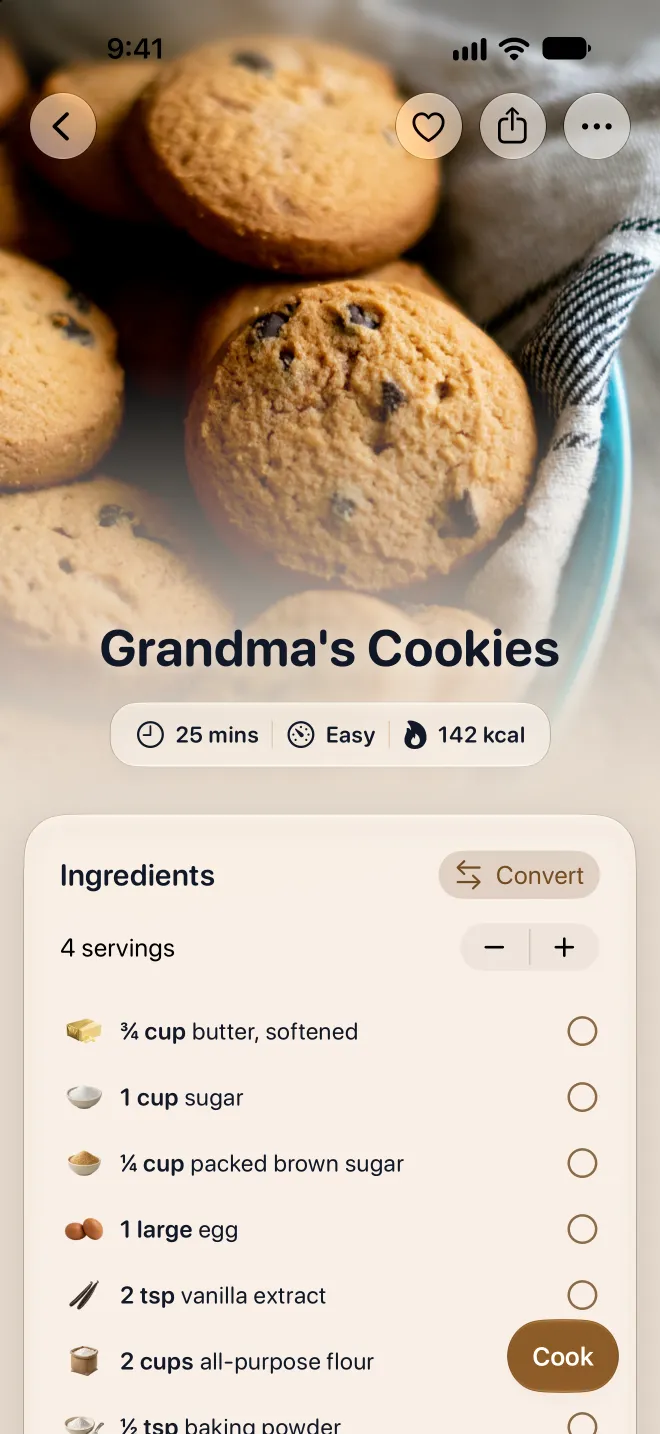

I built this because I kept losing family recipes. Just take a photo of any recipe, handwritten or printed, and the AI extracts everything. Title, ingredients, instructions, cooking times. Done.
How does it work?
Mr. Cook uses artificial intelligence to scan your recipes and digitize them.
- 1
Take a picture
Take a photo of a handwritten note, a cookbook page, or a magazine. Make sure the whole recipe is clearly visible. For longer recipes, you can add up to 6 photos. Your first 3 scans are free; after that, scanning is part of Pro.
- 2
Automatic scanning
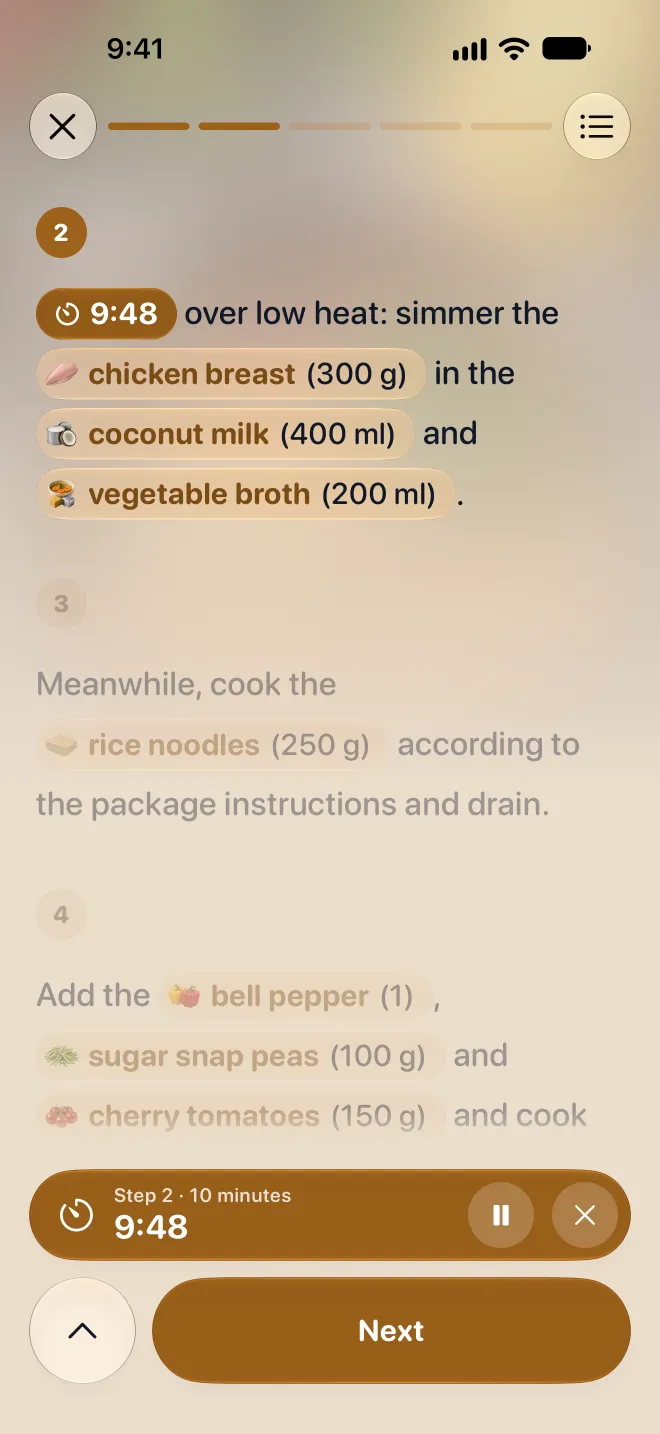
In just a few seconds, our AI analyzes all the information in the recipe, including the title, ingredients, instructions, cooking time, and more. It does its best to read handwriting and tidies up the formatting without changing the recipe itself.
- 3
Stored in one place
Your recipe is saved in your digital cookbook. You can edit it, upload a photo, and add more information. Then you can share it with your friends and family by creating a shared cookbook or sending them a link or PDF.
What You Can Scan
From grandma's recipe box to your favorite cookbook. Any recipe, digitized in seconds.
Handwritten Recipe Cards
Grandma's handwritten recipes shouldn't be lost. The scanner reads cursive and print, so you can keep those family recipes safe forever.
Cookbook Pages
Snap a photo of any cookbook page. It pulls out the full recipe with ingredients, steps, and cooking times.
Magazine Recipes
Spotted a recipe in a magazine? Quick photo, and it's saved to your collection. Works great at the store too.
Screenshots & Photos
Got a recipe screenshot or a photo from social media? Just upload it. Handles all kinds of layouts and formats.
Printed Recipe Cards
Printed cards, church cookbook pages, recipe box collections. Scan them all and keep everything in one place.
Tips for Better Scans
A few small things that make a big difference.
- Good lighting, no shadows. That's the biggest one.
- Get all the text in one photo. Crop tight around the recipe.
- Multi-page recipe? Scan each page separately. You can add up to 6 images.
- Handwritten recipes scan best with clear writing and good contrast.
- Works in multiple languages. No need to translate anything first.
Frequently asked questions
Everything you need to know before you start. Can't find your question? Just ask.
Still have a question?
Send us a message. We're happy to help.
Yes, both cursive and print. For best results, make sure the writing is clear and the photo is well-lit.
More tools
All your recipes in one place
Save recipes from anywhere, plan your week and cook step by step. On your phone, tablet and computer.

Scan with your phone camera
It opens Mr. Cook in the App Store or on Google Play.

