


Works with pretty much any recipe site
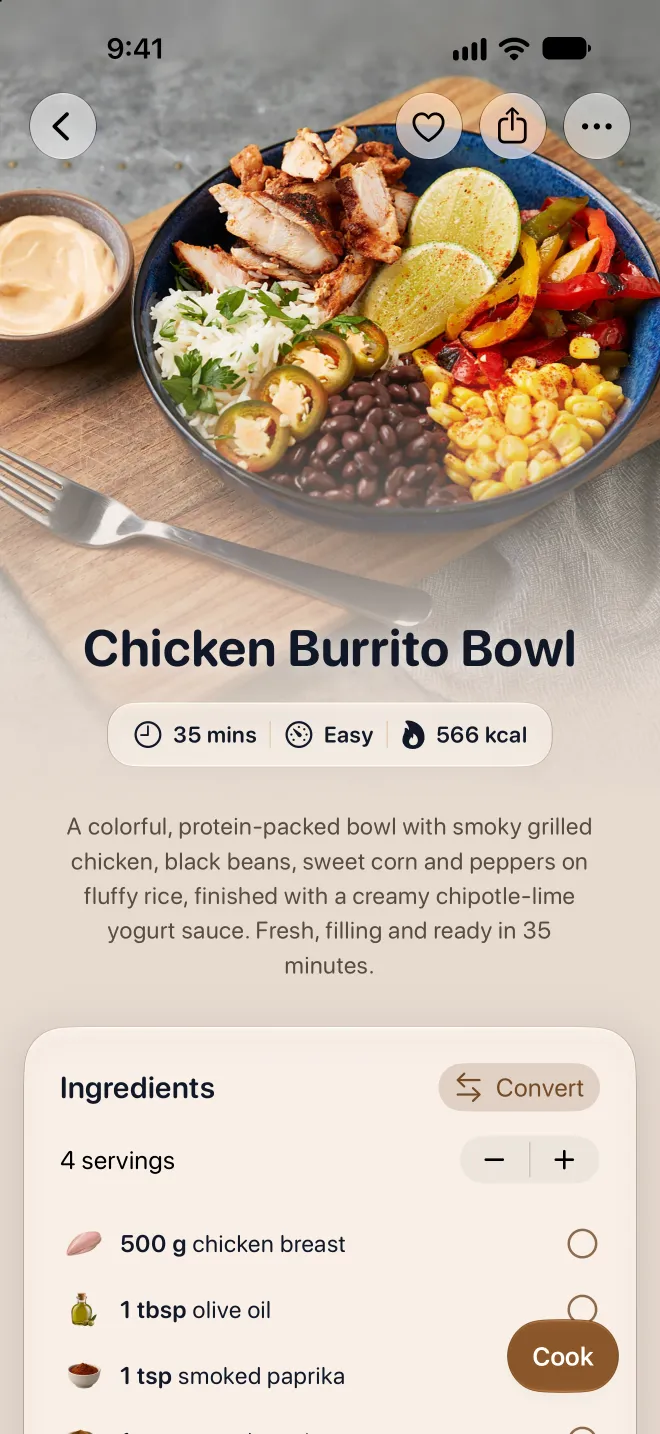
Over 645 sites are supported natively. Paste a URL, and the recipe gets pulled in automatically: ingredients, instructions, cooking times, photos. For sites not on the list, AI extraction usually handles it too. You end up with just the recipe, without ads, ready to cook from or print.



645 officially supported sites
These sites have their own importer, so ingredients, steps, times and photos come in cleanly. Search for your favorite.
ABeautifulMess
abeautifulmess.comACoupleCooks
acouplecooks.comACozyKitchen
acozykitchen.comADozenSundays
adozensundays.comAFarmGirlsDabbles
afarmgirlsdabbles.comAFlavorJournal
aflavorjournal.comAFullLiving
afullliving.comAHealthySliceOfLife
ahealthysliceoflife.comALittleBitYummy
alittlebityummy.comASweetPeaChef
asweetpeachef.comAberleHome
aberlehome.comAbril
claudia.abril.com.brAbuelasCounter
abuelascounter.comAddAPinch
addapinch.comAdrianasBestRecipes
adrianasbestrecipes.comAfghanKitchenRecipes
afghankitchenrecipes.comAfricanBites
africanbites.comAkisPetretzikis
akispetretzikis.comAlbertCz
albert.czAlbertHeijn
ah.nlAldi
aldi.com.auAldiNord
aldi-nord.deAldiSued
aldi-sued.deAldiSuisse
aldi-suisse.chAlexandraCooks
alexandracooks.comAlisoneRoman
alisoneroman.comAllNutritious
allnutritious.comAllRecipes
allrecipes.comAllSavoryRecipes
allsavoryrecipes.comAllTheHealthyThings
allthehealthythings.comAlltOmMat
alltommat.seAltonBrown
altonbrown.comAmazingOriental
amazingoriental.comAmazingRibs
amazingribs.comAmbersKitchencooks
amberskitchencooks.comAmbitiousKitchen
ambitiouskitchen.comAmeesSavoryDish
ameessavorydish.comAmericasTestKitchen
americastestkitchen.comAnItalianInMyKitchen
anitalianinmykitchen.comAndyCooks
andy-cooks.comArchanasKitchen
archanaskitchen.comArgiro
argiro.grArla
arla.seAtelierDesChefs
atelierdeschefs.frAubreysKitchen
aubreyskitchen.comAverieCooks
averiecooks.comBBCFood
bbc.comBBCGoodFood
bbcgoodfood.comBakeEatRepeat
bake-eat-repeat.comBakeItWithLove
bakeitwithlove.comBakeWithZoha
bakewithzoha.comBakels
bakels.com.auBakerByNature
bakerbynature.comBakingMischief
bakingmischief.comBakingSense
baking-sense.comBareFootContessa
barefootcontessa.comBarefeetInTheKitchen
barefeetinthekitchen.comBarefootInThePines
barefootinthepines.comBelleOfTheKitchen
belleofthekitchen.comBellyFull
bellyfull.netBestRecipes
bestrecipes.com.auBetterFoodGuru
betterfoodguru.comBettyBossi
bettybossi.chBettyCrocker
bettycrocker.comBeyondFrosting
beyondfrosting.comBiancaZapatka
biancazapatka.comBigOven
bigoven.comBiggerBolderBaking
biggerbolderbaking.comBillyParisi
billyparisi.comBitsOfCarey
bitsofcarey.comBlessThisMessPlease
blessthismessplease.comBlogghetti
blogghetti.comBlogosferaThermomix
blogosferathermomix.esBlueApron
blueapron.comBlueJeanChef
bluejeanchef.comBodybuilding
bodybuilding.comBofrost
bofrost.deBonAppetit
bonappetit.comBongEats
bongeats.comBowlOfDelicious
bowlofdelicious.comBreadtopia
breadtopia.comBrewersFriend
brewersfriend.comBricelEtBaklava
briceletbaklava.chBrokenOvenBaking
brokenovenbaking.comBudapestCookingClass
budapestcookingclass.comBudgetBytes
budgetbytes.comCafeDelites
cafedelites.comCaioFlorentina
ciaoflorentina.comCakeMeHomeTonight
cakemehometonight.comCakeWhiz
cakewhiz.comCambreaBakes
cambreabakes.comCarlsBadCravings
carlsbadcravings.comCarriesExperimentalKitchen
carriesexperimentalkitchen.comCastIronKeto
castironketo.netCastIronSkilletCooking
castironskilletcooking.comCdKitchen
cdkitchen.comCelebratingSweets
celebratingsweets.comChefJackOvens
chefjackovens.comChefJeanPierre
chefjeanpierre.comChefSavvy
chefsavvy.comChefkoch
chefkoch.deChefnini
chefnini.comChewOutLoud
chewoutloud.comChocolateWithGrace
chocolatewithgrace.comChooseHomemade
choosehomemade.orgCleanEatingKitchen
cleaneatingkitchen.comClosetCooking
closetcooking.comCloudyKitchen
cloudykitchen.comColeyCooks
coleycooks.comColleenChristensenNutrition
colleenchristensennutrition.comComidinhasDoChef
comidinhasdochef.comCookFastRecipes
cookfastrecipes.comCookPad
cookpad.comCookTalk
cook-talk.comCookWell
cookwell.comCookWithDana
cookwithdana.comCookedAndLoved
cookedandloved.comCookieAndKate
cookieandkate.comCookiesAndCups
cookiesandcups.comCookingCircle
cookingcircle.comCookingClassy
cookingclassy.comCookingLSL
cookinglsl.comCookingLight
cookinglight.comCookingWithJanica
cookingwithjanica.comCookomix
cookomix.comCopyKat
copykat.comCorrieCooks
corriecooks.comCostco
costco.comCountryLiving
countryliving.comCrazyForCrust
crazyforcrust.comCreativeCanning
creativecanning.comCucchiaio
cucchiaio.itCuisineAZ
cuisineaz.comCuisinezPourBebe
cuisinez-pour-bebe.frCulinaryHill
culinaryhill.comCuly
culy.nlCybercook
cybercook.com.brDagelijkseKost
dagelijksekost.vrt.beDamnDelicious
damndelicious.netDaringGourmet
daringgourmet.comDashForDinner
dashfordinner.comDavidLebovitz
davidlebovitz.comDeliciouslyElla
deliciouslyella.comDeliciouslySprinkled
deliciouslysprinkled.comDelish
delish.comDelishKitchen
delishkitchen.tvDelsCookingTwist
delscookingtwist.comDinnerAtTheZoo
dinneratthezoo.comDinnerThenDessert
dinnerthendessert.comDirectoAlPaladar
directoalpaladar.comDishnz
dish.co.nzDobruChutAktualitySK
dobruchut.aktuality.skDomesticateMe
domesticate-me.comDonalSkehan
donalskehan.comDonnaHay
donnahay.com.auDownshiftology
downshiftology.comDr
dr.dkDrinkoteket
drinkoteket.seDrizzleAndDip
drizzleanddip.comEDEKA
edeka.deEatLiveRun
eatliverun.comEatThisMuch
eatthismuch.comEatTolerant
eattolerant.deEatWell101
eatwell101.comEatWhatTonight
eatwhattonight.comEatingBirdFood
eatingbirdfood.comEatingEuropean
eatingeuropean.comEatingOnADime
eatingonadime.comEatingWell
eatingwell.comEatsmarter
eatsmarter.comEditionsLarousse
editions-larousse.frEggsCa
eggs.caElaVegan
elavegan.comEmilyBites
emilybites.comEmmiKochtEinfach
emmikochteinfach.deEmpirecipes
empirecipes.comEpicurious
epicurious.comErinLivesWhole
erinliveswhole.comErinsCozyKitchen
erinscozykitchen.comErrensKitchen
errenskitchen.comEssenUndTrinken
essen-und-trinken.deEthanChlebowski
ethanchlebowski.comEverydayDelicious
everyday-delicious.comEverydayPie
everydaypie.comEvolvingTable
evolvingtable.comFamilySpice
familyspice.comFamilyfoodOnTheTable
familyfoodonthetable.comFantabulosity
fantabulosity.comFarmToJar
farmtojar.comFarmhouseDelivery
recipes.farmhousedelivery.comFarmhouseOnBoone
farmhouseonboone.comFattoInCasaDaBenedetta
fattoincasadabenedetta.itFeastingAtHome
feastingathome.comFeelGoodFoodie
feelgoodfoodie.netFelixKitchen
felix.kitchenFestligare
festligare.seFifteenGram
15gram.beFifteenSpatulas
fifteenspatulas.comFigJar
figjar.comFineDiningLovers
finedininglovers.comFitHealthyMacros
fithealthymacros.comFitMenCook
fitmencook.comFitSlowCookerQueen
fitslowcookerqueen.comFlavorsByLinbie
flavorsbylinbie.comFood
food.comFood52
food52.comFoodAndWine
foodandwine.comFoodByMaria
foodbymaria.comFoodFidelity
foodfidelity.comFoodNetwork
foodnetwork.co.ukFoodRepublic
foodrepublic.comForkToSpoon
forktospoon.comForksOverKnives
forksoverknives.comFortyAprons
40aprons.comFranzoesischKochen
franzoesischkochen.deFreshiPrima
fresh.iprima.czG750g
750g.comGarlicAndZest
garlicandzest.comGarnishAndGlaze
garnishandglaze.comGesundAktiv
gesund-aktiv.comGialloZafferano
ricette.giallozafferano.itGimmeSomeOven
gimmesomeoven.comGirlGoneGourmet
girlgonegourmet.comGirlVersusDough
girlversusdough.comGlobo
receitas.globo.comGloriousRecipes
gloriousrecipes.comGlutenFreeOnAShoeString
glutenfreeonashoestring.comGodt
godt.noGoldnPlump
goldnplump.comGonnaWantSeconds
gonnawantseconds.comGoodFoodDiscoveries
goodfooddiscoveries.comGoodHousekeeping
goodhousekeeping.comGoodStuffRecipes
goodstuff.recipesGourmandize
gourmandize.comGourmetTraveller
gourmettraveller.com.auGrandFrais
grandfrais.comGrandbabyCakes
grandbaby-cakes.comGreatBritishChefs
greatbritishchefs.comGrimGrains
grimgrains.comGroupRecipes
grouprecipes.comHEB
heb.comHalfBakedHarvest
halfbakedharvest.comHandleTheHeat
handletheheat.comHassanChef
hassanchef.comHeadbangersKitchen
headbangerskitchen.comHealthyWithAChanceOfSprinkles
healthywithachanceofsprinkles.comHeatherChristo
heatherchristo.comHelloFresh
hellofresh.comHersheyLand
hersheyland.comHilahCooking
hilahcooking.comHofer
hofer.atHogarmania
hogarmania.comHomeAndPlate
homeandplate.comHomeChef
homechef.comHostthetoast
hostthetoast.comHouseOfNashEats
houseofnasheats.comHouseOfYumm
houseofyumm.comHowToCook
howtocook.recipesHowToFeedALoon
howtofeedaloon.comHungryHappens
hungryhappens.netIAmAFoodBlog
iamafoodblog.comIAmBaker
iambaker.netIca
ica.seImWorthy
im-worthy.comInBloomBakery
inbloombakery.comInGoodFlavor
ingoodflavor.comIndianHealthyRecipes
indianhealthyrecipes.comInnit
innit.comInsanelyGoodRecipes
insanelygoodrecipes.comInspiralized
inspiralized.comInspiredTaste
inspiredtaste.netIowaGirlEats
iowagirleats.comIrishCentral
irishcentral.comItDoesntTasteLikeChicken
itdoesnttastelikechicken.comItsNotAboutNutrition
itsnotaboutnutrition.comIzzyCooking
izzycooking.comJamieOliver
jamieoliver.comJennyCanCook
jennycancook.comJimCooksFoodGood
jimcooksfoodgood.comJoCooks
jocooks.comJoshuaWeissman
joshuaweissman.comJournalDesFemmes
cuisine.journaldesfemmes.frJow
jow.frJoyTheBaker
joythebaker.comJoyfoodsunshine
joyfoodsunshine.comJoyfullyMad
joyfullymad.comJuliasAlbum
juliasalbum.comJulieGoodwin
juliegoodwin.com.auJumbo
jumbo.comJustALittleBitOfBacon
justalittlebitofbacon.comJustAPinch
justapinch.comJustATaste
justataste.comJustBento
justbento.comJustOneCookbook
justonecookbook.comJustineSnacks
justinesnacks.comKFoods
kfoods.comKalciRecept
kalcirecept.huKaleJunkie
kalejunkie.comKellysCleanKitchen
kellyscleankitchen.comKennethTemple
kennethtemple.comKennyMcGovern
kennymcgovern.comKeukenLiefdeNL
keukenliefde.nlKeyToMyLime
keytomylime.comKiddoKitchen
kiddokitchen.seKikkoman
kikkoman.euKingArthur
kingarthurbaking.comKitchenAidAustralia
kitchenaid.com.auKitchenDivas
kitchendivas.comKitchenDreaming
kitchendreaming.comKitchenSanctuary
kitchensanctuary.comKitchenStories
kitchenstories.comKochbar
kochbar.deKochbucher
kochbucher.comKoket
koket.seKookJij
kookjij.nlKristinesKitchenBlog
kristineskitchenblog.comKrollsKorner
krollskorner.comKuchniaDomowa
kuchnia-domowa.plKuchynaLidla
kuchynalidla.skKwestiaSmaku
kwestiasmaku.comLAtelierDeRoxane
latelierderoxane.comLaCucinaItaliana
lacucinaitaliana.itLanasCooking
lanascooking.comLaurensLatest
laurenslatest.comLazyCatKitchen
lazycatkitchen.comLeCremeDeLaCrumb
lecremedelacrumb.comLecker
lecker.deLeckerSchmecker
leckerschmecker.meLeitesCulinaria
leitesculinaria.comLekkerEnSimpel
lekkerensimpel.comLetsCampSmore
letscampsmore.comLeukerecepten
leukerecepten.nlLidiasItaly
lidiasitaly.comLifestyleOfAFoodie
lifestyleofafoodie.comLittleFerraroKitchen
littleferrarokitchen.comLittleSpiceJar
littlespicejar.comLittleSpoonFarm
littlespoonfarm.comLittleSunnyKitchen
littlesunnykitchen.comLivelyTable
livelytable.comLmld
lmld.orgLolasCocina
lolascocina.comLoveAndLemons
loveandlemons.comLoveFood
lovefood.comLovingitvegan
lovingitvegan.comMaangchi
maangchi.comMadameCuisine
madamecuisine.deMadameLeFigaro
madame.lefigaro.frMadensVerden
madensverden.dkMadsvin
madsvin.comMagimix
magimix.comMakeItDairyFree
makeitdairyfree.comMarieClaire
marieclaire.frMarmiton
marmiton.orgMarthaStewart
marthastewart.comMatprat
matprat.noMcCormick
mccormick.comMealPrepManual
mealprepmanual.comMeatChurch
meatchurch.comMeganVsKitchen
meganvskitchen.comMeljoulwan
meljoulwan.comMellisaKNorris
melissaknorris.comMellosChourico
melloschourico.comMelsKitchenCafe
melskitchencafe.comMexicanPlease
mexicanplease.comMigusto
migusto.migros.chMiljuschka
miljuschka.nlMindmegette
mindmegette.huMinimalistbaker
minimalistbaker.comMinistryOfCurry
ministryofcurry.comMisya
misya.infoMob
mob.co.ukMobKitchen
mobkitchen.co.ukModernHoney
modernhoney.comMollyBaz
mollybaz.comMomOnTimeout
momontimeout.comMomsWithCrockPots
momswithcrockpots.comMoscatoMom
moscatomom.comMotherThyme
motherthyme.comMoulinex
moulinex.frMundoDeReceitasBimby
mundodereceitasbimby.com.ptMyBakingAddiction
mybakingaddiction.comMyJewishLearning
myjewishlearning.comMyKidsLickTheBowl
mykidslickthebowl.comMyKitchen101
mykitchen101.comMyKitchen101en
mykitchen101en.comMyKoreanKitchen
mykoreankitchen.comMyRecipes
myrecipes.comMyVegetarianRoots
myvegetarianroots.comMyriadRecipes
myriadrecipes.comNHSHealthierFamilies
nhs.ukNIHHealthyEating
healthyeating.nhlbi.nih.govNRKMat
nrk.noNYTimes
cooking.nytimes.comNatashasKitchen
natashaskitchen.comNaturallyElla
naturallyella.comNdr
ndr.deNetaCooks
netacooks.comNewDadsKitchen
newdadskitchen.comNibbleDish
nibbledish.comNinjaTestKitchen
ninjatestkitchen.euNoRecipes
norecipes.comNoSalty
nosalty.huNoraCooks
noracooks.comNotEnoughCinnamon
notenoughcinnamon.comNourishedByNutrition
nourishedbynutrition.comNumber2Pencil
number-2-pencil.comNutritionByNathalie
nutritionbynathalie.comNutritionFacts
nutritionfacts.orgOhSheGlows
ohsheglows.comOhSweetBasil
ohsweetbasil.comOkokoRecepten
okokorecepten.nlOmnivoresCookbook
omnivorescookbook.comOnceUponAChef
onceuponachef.comOneHundredOneCookBooks
101cookbooks.comOneSevenSevenMilkStreet
177milkstreet.comOneSweetAppetite
onesweetappetite.comOrganicallyAddison
organicallyaddison.comOttolenghiBooks
books.ottolenghi.co.ukOurBestBites
ourbestbites.comOwenHan
owen-han.comPaleoRunningMomma
paleorunningmomma.comPanelinha
panelinha.com.brPaniniHappy
paninihappy.comPanlasangPinoy
panlasangpinoy.comPastificioSorrentino
pastificiosorrentino.comPaulaDeen
pauladeen.comPeelWithZeal
peelwithzeal.comPersnicketyPlates
persnicketyplates.comPetitChef
en.petitchef.comPickUpLimes
pickuplimes.comPicnic
picnic.appPiesAndPlots
piesandplots.netPilipinasRecipes
pilipinasrecipes.comPinchOfYum
pinchofyum.comPingoDoce
pingodoce.ptPinkOwlKitchen
pinkowlkitchen.comPlantYou
plantyou.comPlatingPixels
platingpixels.comPlatingsAndPairings
platingsandpairings.comPlowingThroughLife
plowingthroughlife.comPolishFoodies
polishfoodies.comPopSugar
popsugar.comPoppyCooks
poppycooks.comPostPunkKitchen
theppk.comPotatoRolls
potatorolls.comPracticalSelfReliance
practicalselfreliance.comPreppyKitchen
preppykitchen.comPressureLuckCooking
pressureluckcooking.comPrimalEdgeHealth
primaledgehealth.comProjectGezond
projectgezond.nlPrzepisy
przepisy.plPurelyPope
purelypope.comPurpleCarrot
purplecarrot.comQuakerOats
quakeroats.comQuiToque
quitoque.frRachlMansfield
rachlmansfield.comRainbowPlantLife
rainbowplantlife.comRealFoodTesco
realfood.tesco.comRealFoodWell
realfoodwell.comRealMomNutrition
realmomnutrition.comRealSimple
realsimple.comReceitasNestleBR
receitasnestle.com.brRecept
recept.seReceptiIndex
recepti.index.hrReceptyPreVas
receptyprevas.skRecettePlus
recette.plusRecipeForPerfection
recipeforperfection.comRecipeGirl
recipegirl.comRecipeLand
recipeland.comRecipeRunner
reciperunner.comRecipeTinEats
recipetineats.comRedHouseSpice
redhousespice.comReishunger
reishunger.deRelish
relish.comRewe
rewe.deRezeptwelt
rezeptwelt.deRicardoCuisine
ricardocuisine.comRicetta
ricetta.itRicettePerBimby
ricetteperbimby.itRickBayless
rickbayless.comRosannaPansino
rosannapansino.comRussianFood
russianfood.comRutgerBakt
rutgerbakt.nlSaboresAjinomoto
saboresajinomoto.com.brSallysBakingAddiction
sallysbakingaddiction.comSallysBlog
sallys-blog.deSaltPepperSkillet
saltpepperskillet.comSamsungFood
app.samsungfood.comSandwhichTribunal
sandwichtribunal.comSaveur
saveur.comSavoringTheGood
savoringthegood.comSavoryNothings
savorynothings.comSavoryThoughts
savorythoughts.comSavvySavingCouple
savvysavingcouple.netSchoolOfWok
schoolofwok.co.ukScrambledAndScrumptious
scrambledandscrumptious.comScrummyLane
scrummylane.comSeriousEats
seriouseats.comSharkNinja
sharkninja.comSheLikesFood
shelikesfood.comSimpleGreenSmoothies
simplegreensmoothies.comSimpleHomeEdit
simplehomeedit.comSimpleVeganista
simple-veganista.comSimplyCookit
simply-cookit.comSimplyQuinoa
simplyquinoa.comSimplyRecipes
simplyrecipes.comSimplyScratch
simplyscratch.comSimplyWhisked
simplywhisked.comSipAndFeast
sipandfeast.comSizzleFish
sizzlefish.comSizzlingEats
sizzlingeats.comSkinnyTaste
skinnytaste.comSmallTownWoman
smalltownwoman.comSmulweb
smulweb.nlSoBors
sobors.huSoMuchFoodBlog
somuchfoodblog.comSouthernBite
southernbite.comSouthernCastIron
southerncastiron.comSouthernLiving
southernliving.comSpainOnAFork
spainonafork.comSpendWithPennies
spendwithpennies.comSpicySouthernKitchen
spicysouthernkitchen.comSpisBedre
spisbedre.dkSpringlane
springlane.deStacyLing
stacyling.comStaySnatched
staysnatched.comSteamyKitchen
steamykitchen.comStreetKitchen
streetkitchen.huStrongrFastr
strongrfastr.comSudachiRecipes
sudachirecipes.comSugarHero
sugarhero.comSugarMapleFarmhouse
sugarmaplefarmhouse.comSugarSpunRun
sugarspunrun.comSunBasket
sunbasket.comSundPaaBudget
sundpaabudget.dkSundaySupperMovement
sundaysuppermovement.comSunset
sunset.comSweetCsDesigns
sweetcsdesigns.comSweetPeasAndSaffron
sweetpeasandsaffron.comSwissMilk
swissmilk.chTableAndDish
tableanddish.comTasteAU
taste.com.auTasteAndTellBlog
tasteandtellblog.comTasteAtlas
tasteatlas.comTasteOfHome
tasteofhome.comTastefullyGrace
tastefullygrace.comTasteline
tasteline.comTastesBetterFromScratch
tastesbetterfromscratch.comTastesOfLizzyT
tastesoflizzyt.comTastingHistory
tastinghistory.comTasty
tasty.coTastyKitchen
tastykitchen.comTastyOven
tastyoven.comTatyanasEverydayFood
tatyanaseverydayfood.comTeakAndThyme
teakandthyme.comTheAlmondEater
thealmondeater.comTheBigMansWorld
thebigmansworld.comTheCleverCarrot
theclevercarrot.comTheCookieRookie
thecookierookie.comTheCookingGuy
thecookingguy.comTheCountryCook
thecountrycook.netTheFirstMess
thefirstmess.comTheFlavorBender
theflavorbender.comTheFoodCharlatan
thefoodcharlatan.comTheFoodieTakesFlight
thefoodietakesflight.comTheGlutenFreeAustrian
theglutenfreeaustrian.comTheGuardian
theguardian.comTheHappyFoodie
thehappyfoodie.co.ukTheIceCreamConfectionals
theicecreamconfectionals.comTheKitchenCommunity
thekitchencommunity.orgTheKitchenMagPie
thekitchenmagpie.comTheKitchn
thekitchn.comTheLoopyWhisk
theloopywhisk.comTheMagicalSlowCooker
themagicalslowcooker.comTheMediterraneDish
themediterraneandish.comTheModernProper
themodernproper.comTheOldWomanAndTheSea
theoldwomanandthesea.comThePalatableLife
thepalatablelife.comThePioneerWoman
thepioneerwoman.comThePlantBasedSchool
theplantbasedschool.comTheRecipeCritic
therecipecritic.comTheSaltyMarshmallow
thesaltymarshmallow.comTheSpiceTrain
thespicetrain.comTheSpruceEats
thespruceeats.comTheSuburbanSoapBox
thesuburbansoapbox.comTheVintageMixer
thevintagemixer.comTheWoodenSkillet
thewoodenskillet.comThewoksoflife
thewoksoflife.comThinlicious
thinlicious.comThirtySeconds
30seconds.comThisHealthyTable
thishealthytable.comThreeSixFiveDaysOfBakingAndMore
365daysofbakingandmore.comTidyMom
tidymom.netTimesOfIndia
recipes.timesofindia.comTineNo
tine.noTofoo
tofoo.co.ukToriAvey
toriavey.comTudoGostoso
tudogostoso.com.brTudoReceitas
tudoreceitas.comTwentyFourKitchen
24kitchen.nlTwoPeasAndTheirPod
twopeasandtheirpod.comUSAPears
usapears.orgUSDAMyPlate
myplate.govUitPaulinesKeukenNL
uitpaulineskeuken.nlUnsophisticook
unsophisticook.comValdemarsro
valdemarsro.dkValentinasCorner
valentinascorner.comVanillaAndBean
vanillaandbean.comVarechaPravdaSK
varecha.pravda.skVegRecipesOfIndia
vegrecipesofindia.comVeganRicha
veganricha.comVeganSociety
vegansociety.comVegetarbloggen
vegetarbloggen.noVegolosi
vegolosi.itVelocidadCuchara
velocidadcuchara.comVeroniqueCloutier
veroniquecloutier.comWDR
www1.wdr.deWatchWhatUEat
watchwhatueat.comWeAreNotMartha
wearenotmartha.comWeDishItUp
wedishitup.comWeightWatchersPublic
weightwatchers.comWellPlated
wellplated.comWhatsGabyCooking
whatsgabycooking.comWhole30
whole30.comWholeFoods
wholefoodsmarket.comWikiCookbook
en.wikibooks.orgWilliamsSonoma
williams-sonoma.comWomensWeeklyFood
womensweeklyfood.com.auWoop
woop.co.nzWyseGuide
wyseguide.comXiachufang
xiachufang.comYamasa
recipe.yamasa.comYemek
yemek.comYummly
yummly.comZauberTopf
zaubertopf.deZeitWochenmarkt
zeit.deZenBelly
zenbelly.comZestfulKitchen
zestfulkitchen.comHensslers schnelle Nummer
hensslers-schnelle-nummer.deYouTube
youtube.comInstagram
instagram.comFacebook
facebook.comTikTok
tiktok.comPinterest
pinterest.com

Can't find your service? No problem!
Most other recipe sites work too. If a site isn't on the list, we read the recipe data on the page or let AI extract the recipe. Just give it a try! If it doesn't work, you can add your recipes manually.
Feedback
Please let me know what you think about Mr. Cook so I can continue to improve the app.
FeedbackFrequently asked questions
Everything you need to know before you start. Can't find your question? Just ask.
Still have a question?
Send us a message. We're happy to help.
Copy the URL, open Mr. Cook, and paste it. The recipe gets pulled in automatically with ingredients, instructions, and photos.
More tools
All your recipes in one place
Save recipes from anywhere, plan your week and cook step by step. On your phone, tablet and computer.

Scan with your phone camera
It opens Mr. Cook in the App Store or on Google Play.